Moveful
Move a little, every 30 minutes
Guided two-to-three minute movement breaks for desk workers, led by a 3D figure
visit Moveful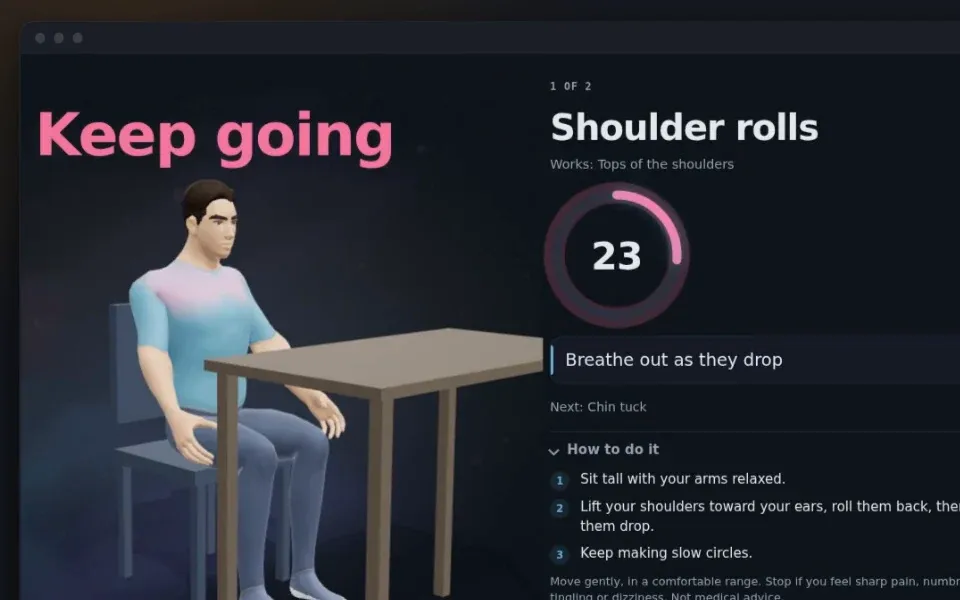
the why
Desk-break apps tend to fall into two camps: smart timers that know when to interrupt you but show no exercises at all, and stretch apps with a generic list of moves that fire at the wrong moment and get switched off. I built Moveful to do both halves properly. It counts only the time you are actually at the computer, and on a Mac or Windows PC it waits while you are on a call or presenting. Then a 3D guide shows you each move. The figure is a mannequin posed and baked in Blender and rendered with three.js, and that one player runs in the Mac app, in the browser and on Windows. The content follows the research rather than posture myths: there is no single correct way to sit, so the message is to move and vary, with active holds favoured over passive stretches.
who it's for
People who spend most of the working day at a computer and feel it in their neck, shoulders or back, on a Mac, a Windows PC, or anything with a browser.
the explainer
0:55 · narrated · English captionsMusic: "Ambient Corporate Presentation Slow Bed" by Alex Morgan (CC BY 4.0).
what it does
- Counts only active computer time, so stepping away counts as a break already taken
- A 30-second heads-up after about 30 minutes, then a guided two-to-three minute break
- An animated 3D guide demonstrates every move, with the working muscles highlighted and arrows for direction
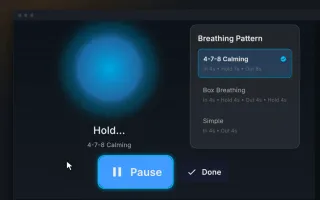
- A ring times each hold and rep, with spoken cues and keyboard control
- 25 desk-friendly moves, most of them seated, in a different mix every break
- Sit, stand, or sit-stand modes, a focus on strength, stretching, or mobility, and a health check that leaves out moves that do not suit you
- Classes when you want to pick the focus yourself: neck and shoulders, upper back, hips and low back, wrists and eyes, and more
- On Mac and Windows, waits while you are on a call, presenting, or in fullscreen
- A weekly view of breaks taken and minutes moved, with no guilt-trip streaks
- Installs as an app on Mac, Windows, Android, and ChromeOS, and works offline
- Free, with no account; settings and history stay on your device
frequently asked
What is Moveful?
Moveful is a free movement-break app for desk workers. After about 30 minutes of active computer time it gives you 30 seconds' notice, then a 3D guide walks you through two to three minutes of moves you can do at your desk.Is Moveful free?
Yes. There's no account and no subscription.Does it work on Windows?
Yes. Download the Windows app (an installer, or a portable version that needs no install) and it sits in the system tray like the Mac app. On a PC where you cannot install apps, open Moveful in Edge or Chrome and choose Install.Does it use my camera or microphone?
No. On Mac it only checks whether another app is already using them, so it doesn't interrupt a call. It never turns them on, and nothing is recorded.Where is my data stored?
On your device. Your settings and break history stay in the app; there's no account and nothing is sent to us.How often should I take a movement break?
About every 30 minutes. Research on breaking up sitting mostly tests breaks every 20–30 minutes, and doing it regularly matters more than the exact interval.Is this medical advice?
No. Moveful is general wellness guidance. If you have pain, an injury or a health condition, check with a clinician; the app's health check leaves out moves that don't suit common conditions.
built by
Moveful is a project by Ben Huss, a founder and product engineer based in London and Somerset, UK, who designs and codes his own apps end to end. Founder of Immersi (360 video, VR and interactive tours) and CTO at Cobble (location-based audio walks).